



Character Imports from LOTRO and the claiming process.
Character Additions and Updates
- Any new Characters added to the kinship or changes such as name changes or levels are not automatically reflected on the website once achieved in game.
The update process is a very manual process which requires me to export the kinship data using “LOTRO Companion”, convert that data and then import into the website's sql database via a .php script I wrote to handle this. - Updates will be completed every Sunday evening at a minimum.
Setting your time zone
- Setting your time zone is extremely important for times to be accurately reflected on the Calendar for your specific time zone, otherwise all times default to Central Standard Time.
- Once you have registered for an account either via Email or Discord and are logged in to your account follow these steps:
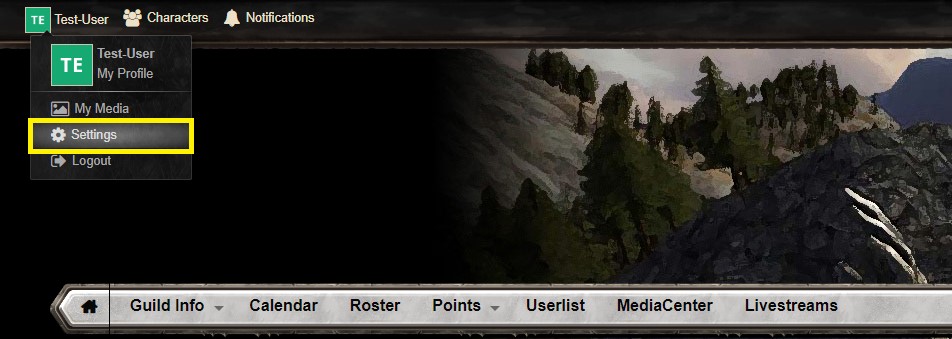
- Select your user name at the top left of the web page and select “Settings”.
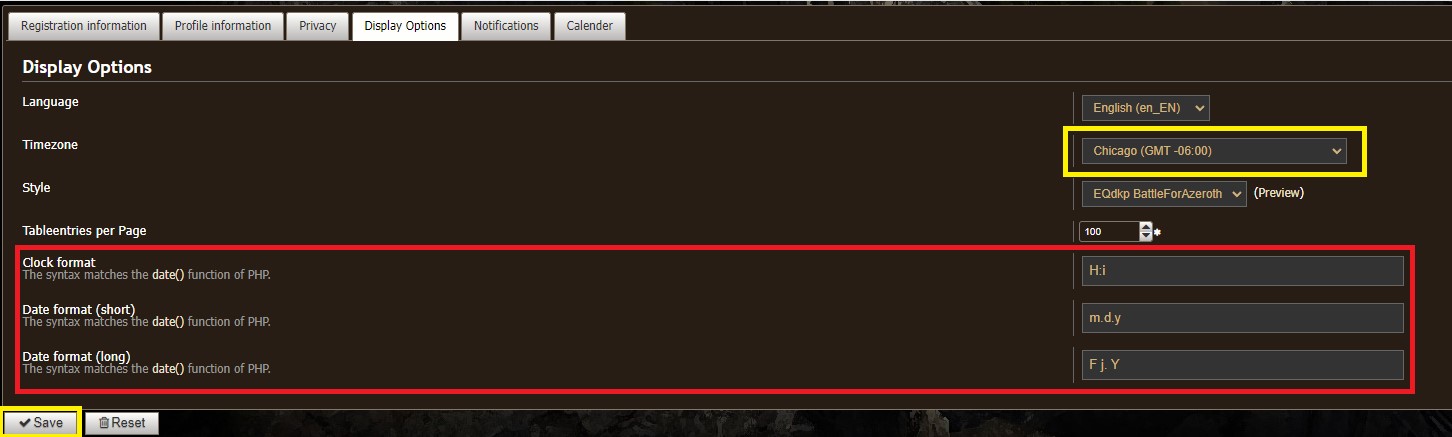
- Then Select “Display Options”
- Then Set Your Time Zone as appropriate for you location.
- US EST Select: New York
- US CST Select: Chicago
- US MNT Select: Denver
- US PST Select: Los Angeles
- Or any other Time Zone that makes sense for your location.
- Then select Save at the bottom left as highlighted in yellow.
- Items Highlighted in Red should not be touched unless you are familiar with these settings in PHP.
Claiming your Characters.
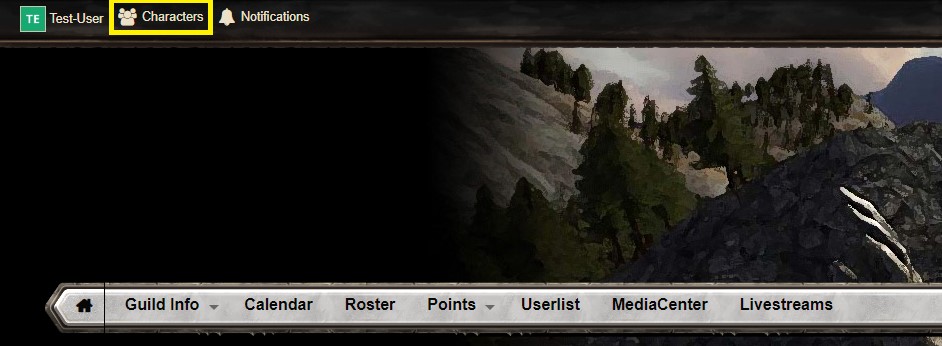
- Select “Characters” from the top left of the web page.
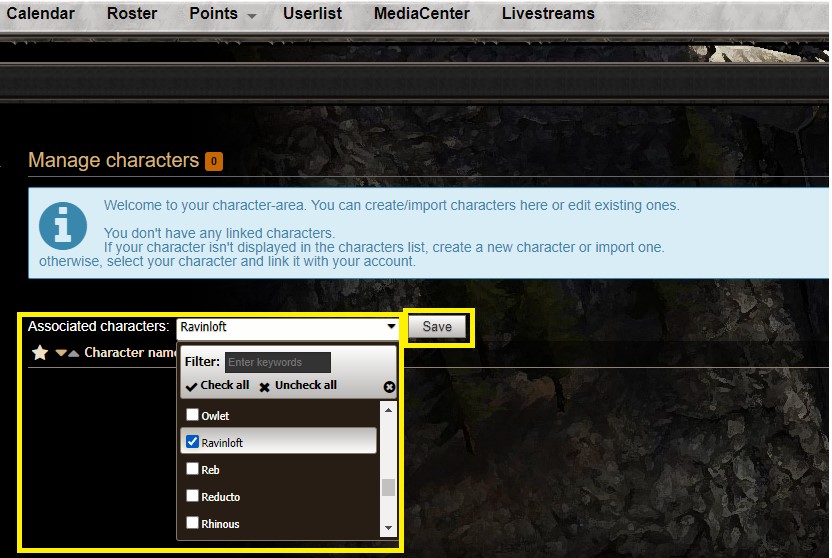
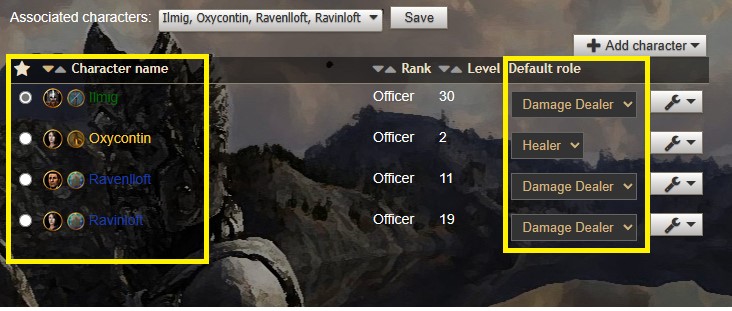
- Under the drop down list titled “Associated Characters” select the name of your character by putting a check in the box to the left of their name, more than one character can be selected at a time.
- Then select save.
- If you make a mistake and select the wrong Character, that is ok, you can always deselect them from the same drop down.
- Once you have all your Characters selected it is now time to set which character is your “Main” or the one you will be raiding with regularly. You do this by selecting the radio button to the left of their name, this will put a dot next to the character that you have designated as being your main.
- You’ll also want to verify the role your character will be under default role; healer, damage, tank, etc., etc.. You’ll set this based on how you are speced.
Please reach out in Discord if you have any questions.